The Library of PDF
Local AI From Zero: A Beginner's Visual Guide
Local AI From Zero: A Beginner's Visual Guide
Couldn't load pickup availability
Want a private ChatGPT-style assistant on your own computer, with no monthly fee and no account required? Local AI From Zero takes you from "what is a model?" to a working local chat, one small step at a time. No jargon, and no experience needed.
Learn what local AI actually is, why people run it at home (privacy, cost, and offline use), and how to read RAM, VRAM and model sizes so you download something that fits. Install Ollama on Windows, macOS or Linux and have your first conversation in a single terminal session. Then try LM Studio's graphical app, a ChatGPT-like browser UI with Open WebUI, and Locally Uncensored (LU) 3.1.2 — a free all-in-one desktop studio with a setup wizard, a model manager, chat, a coding agent, and image generation.
A dedicated chapter explains uncensored and abliterated models (including current Dolphin and abliterated Qwen/Llama options), how to find them on the Ollama library and Hugging Face, and how to run them in Ollama, LM Studio and LU — factually, with the tradeoffs and your responsibility made clear. Image generation basics, a troubleshooting playbook for out-of-memory and slow replies, a fillable 7-day plan and a two-page cheat sheet round it off.
Everything is up to date for Ollama, LM Studio 0.4.28, Open WebUI, Locally Uncensored 3.1.2 and current model tags in the Ollama library (Gemma 4, Qwen 3.5/3.8, Llama 3.1/3.2/4, Mistral, Phi-4), and every link was checked in November 2026.
What you get
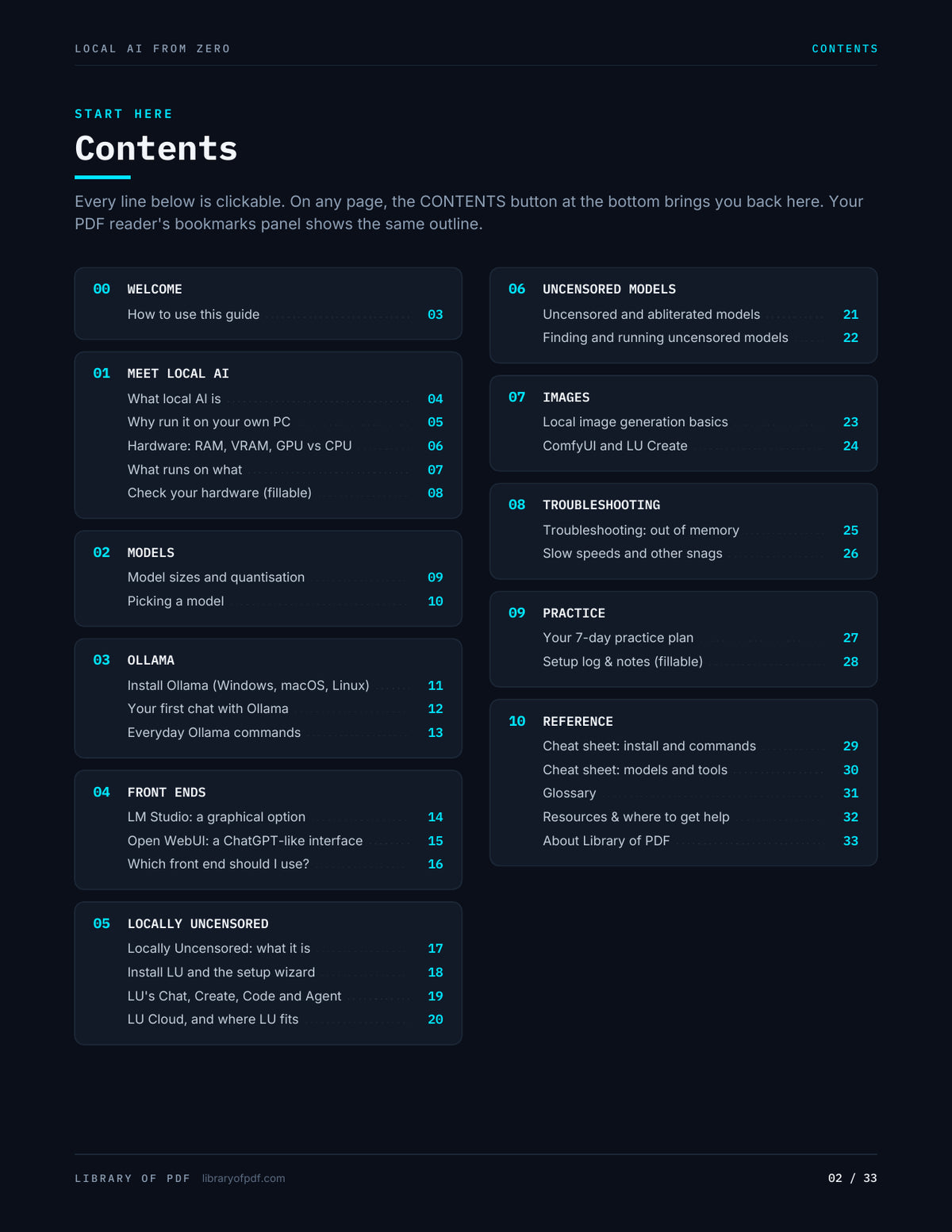
- Meet local AI: what a model, an engine and VRAM actually are, why run it locally, and a fillable hardware check
- Models that fit: quantisation explained visually (Q4_K_M and friends), plus current starter picks for Gemma, Qwen, Llama, Mistral and Phi
-
Ollama: install steps for Windows, macOS and Linux, your first chat, and the everyday commands (
pull,run,ls,ps,show,stop,rm) - Front ends: LM Studio, Open WebUI (including the official Docker command), and a side-by-side "which should I use?" table
- Locally Uncensored (LU): what the app is, hardware needs, the four-step setup wizard, the Models manager, Chat, Create, Code and Agent, plus optional LU Cloud and where LU fits next to the other tools
- Uncensored and abliterated models: what those words mean, how they differ from standard aligned models, current Dolphin and abliterated Qwen/Llama options, and how to find and run them in Ollama, LM Studio and LU
- Images: why Ollama isn't the tool for this, and first steps with ComfyUI or LU's Create tab
- When things go wrong: out of memory, slow speeds, and the usual install snags, decoded
- Practice and reference: a fillable 7-day plan, a hardware-size picker, a fillable setup log and notes page, a two-page cheat sheet, a 30-term glossary and a resources page of official docs
Interactive features
- Clickable table of contents, plus a "Contents" button on every page
- Full PDF bookmarks panel (44 entries)
- 84 internal links: cross-references ("Learn it: p.18") and clickable contents
- 123 live links (55 unique URLs) to official docs, downloads, model pages and communities
- 67 fillable fields: 26 checkboxes (7-day plan and a hardware-size picker) and 41 text fields (system info, a model log and a notes box). Everything saves with the file.
Good for
Complete beginners, privacy-minded people who want a local alternative to cloud chatbots, tinkerers setting up a home AI box, and anyone who has heard of Ollama or "running Llama at home" and did not know where to start.
Share